Draft: this guide shows the next app release (1.1.55) and may not match your phone until that version is in the App Store and Google Play.
The Tracker
Where each referral you sent has got to, and what each step means.
Your referrals
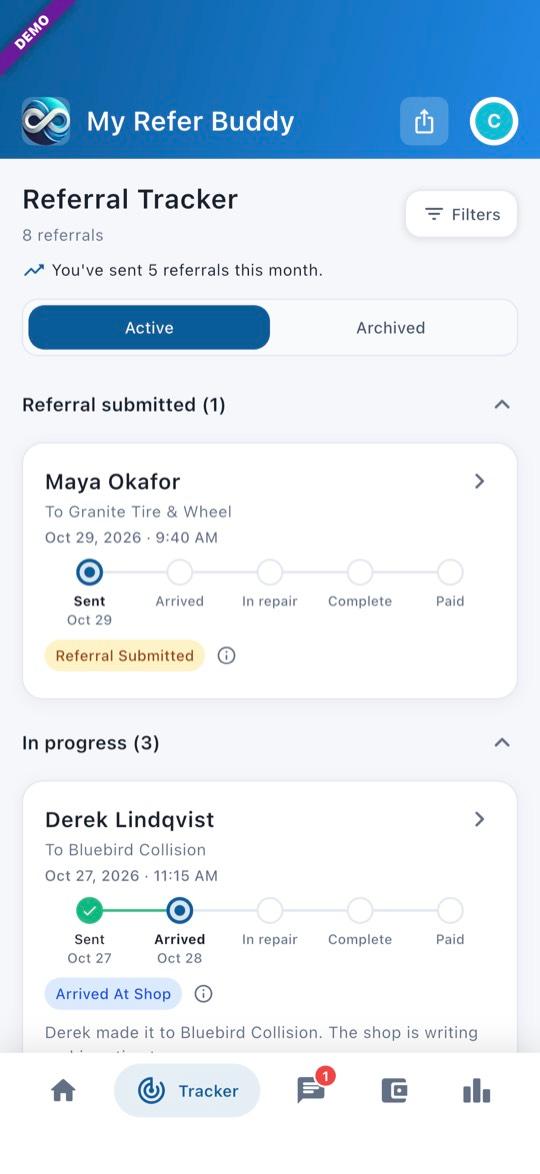
Active groups your referrals as No recent update (open, with nothing for 30 days), Referral submitted, In progress, Done — awaiting payout, Done — paid and Done. Archived holds referrals you archive, ones finished at least a week with nothing owed, and ones where the customer never checked in within 30 days.
1Open the Tracker
Tap Tracker at the bottom of the screen. Each card shows a progress line: Sent, Arrived, In repair, Complete, Paid. Paid means the referral’s reward has been paid out, not that the customer paid the shop. At a shop that pays referrals in cash, Cash ready comes before Paid. A reward given to the Stranded Motorist Fund ends on Donated to SMF.
2Archive, restore or delete
Swipe a card from right to left to archive it, and restore it from Archived the same way. While a referral is still Referral Submitted, swiping the other way deletes it.
What each stage means
The shop you sent the customer to moves the referral along; at some shops their shop system does it for them. Tap the ⓘ next to the status to see what it means.
3Open a referral
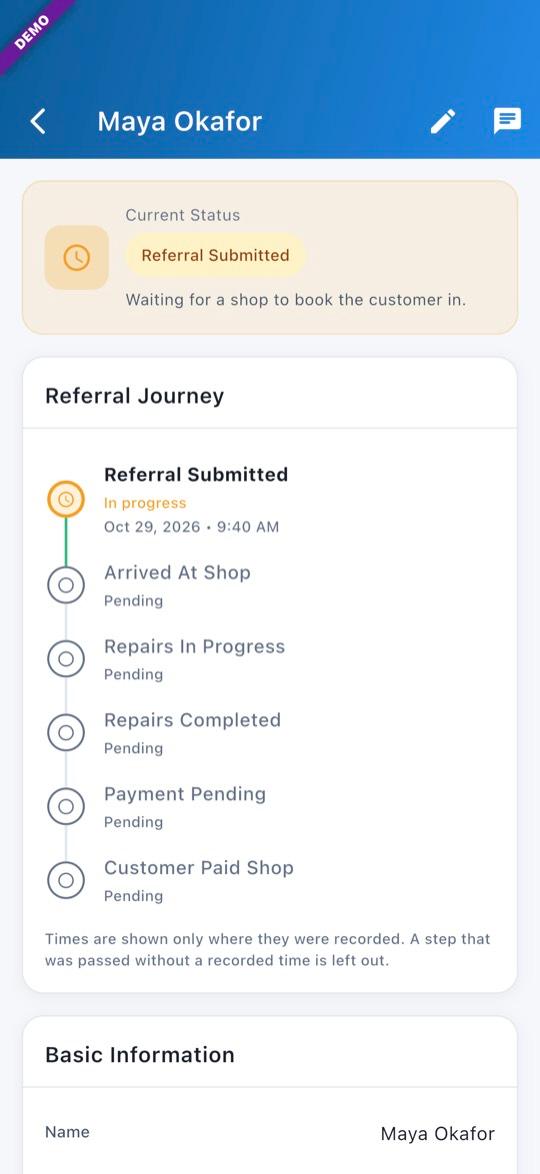
Referral Submitted: waiting for a shop to book the customer in. Booked: the shop has booked them in; the car may not have arrived yet. Arrived At Shop: the shop has checked the customer in. Repairs In Progress, then Repairs Completed. Payment Pending: the repair is done and the shop is waiting for the customer to pay. Bill Settled (shown instead at some shops): the shop’s system says the bill is settled. Customer Paid Shop: the customer has paid the shop; your reward is paid separately — check your Wallet.
When you get paid
4After the customer pays the shop
Your reward is owed once the referral reaches Customer Paid Shop. How and when it reaches you is in the Getting paid guide.
- Pictures show the offline demo. Customers and vehicles are made up.
Questions? Email info@AINcollective.com or call (719) 463-0050.