Draft: this guide shows the next app release (1.1.55) and may not match your phone until that version is in the App Store and Google Play.
Your stats
What the numbers on Home, Ranks and My stats mean.
On Home
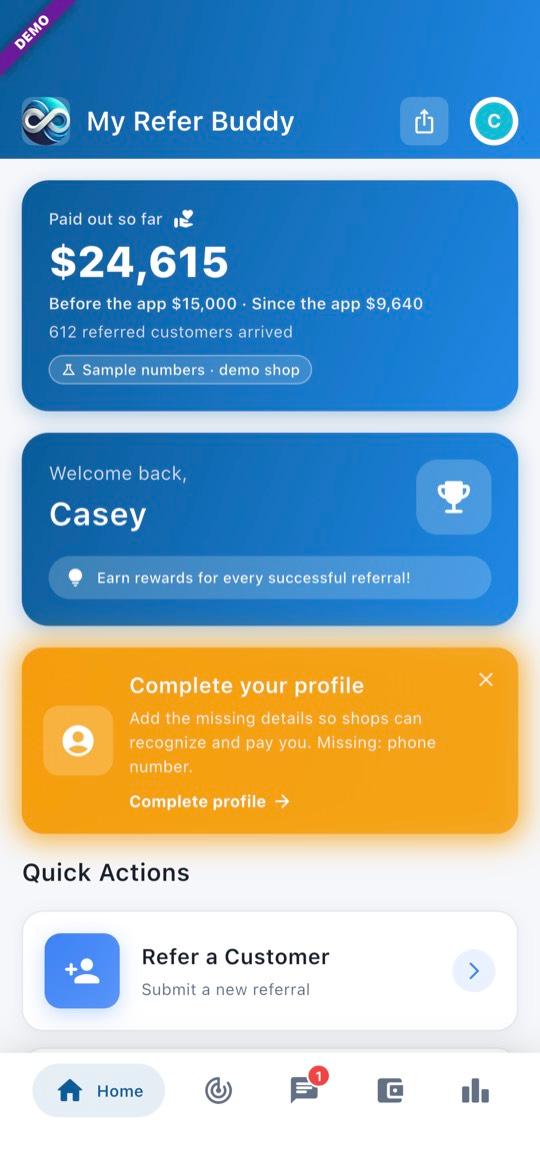
1Paid out so far
This card is for the whole My Refer Buddy network, all time — not just you. Before the app is what was paid out before the app; Since the app is what has been paid since. Referred customers arrived counts referrals a shop has checked in or booked.
On Ranks
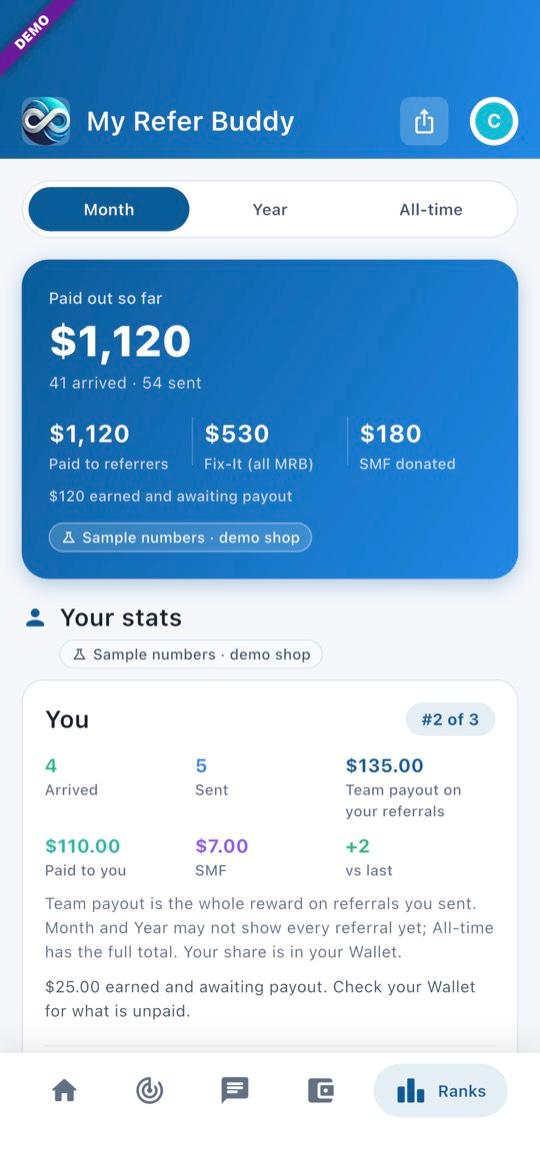
2Your stats card
Pick Month, Year or All-time. Team payout on your referrals is the whole reward on referrals you sent. Paid to you is what has actually been paid to you in that period. Your Wallet has what is still unpaid.
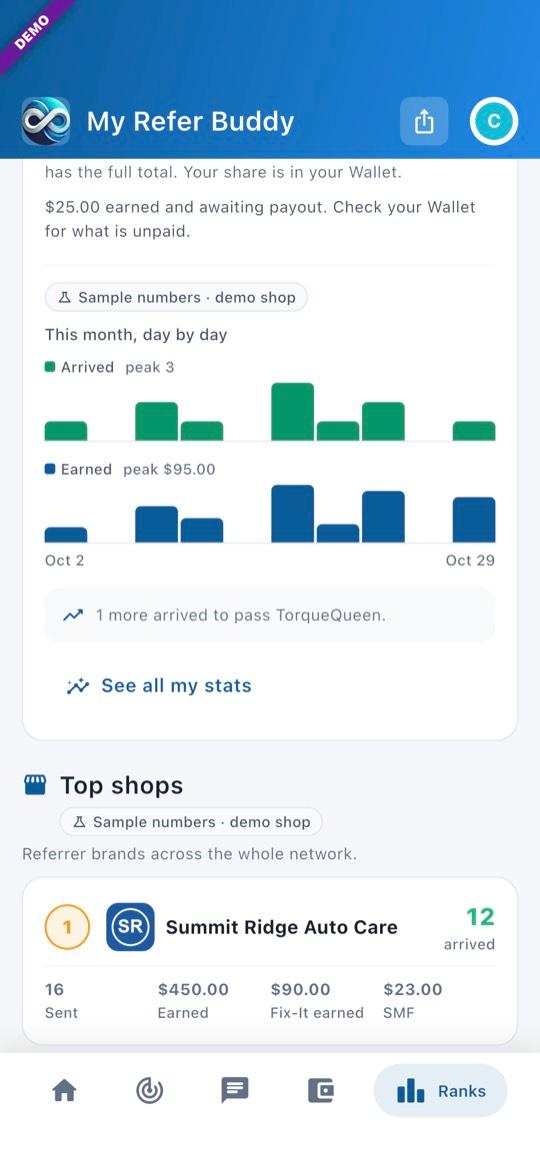
3Further down
A chart (day by day for Month, month by month for Year and All-time), and Top shops across the whole network. Tap See all my stats for more.
My stats
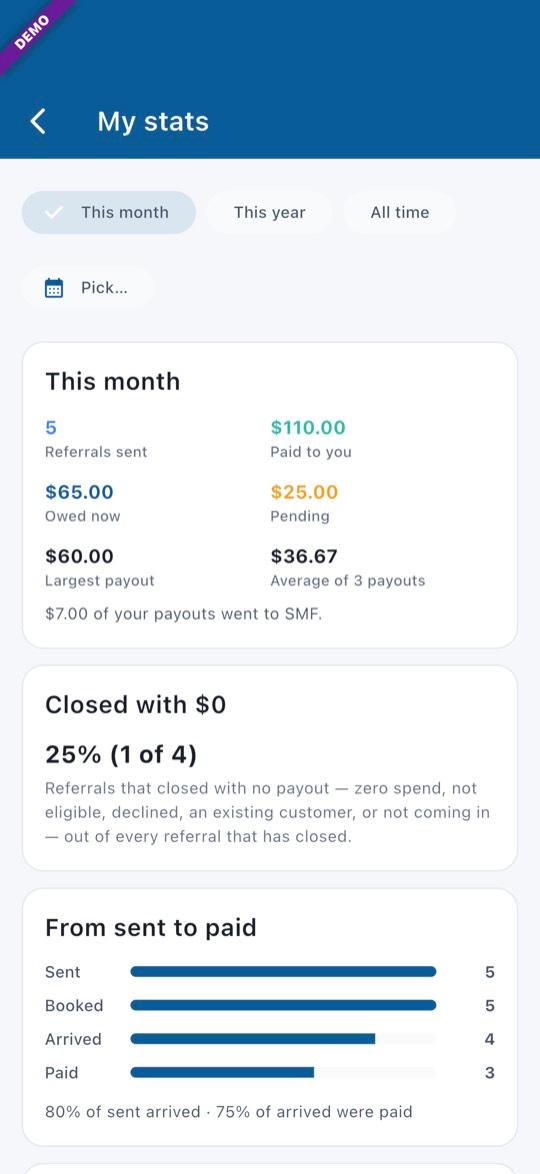
4My stats
Open it from Ranks (See all my stats) or Profile → My stats. Pick This month, This year, All time, or Pick… for a single month or year. Owed now and Pending are as of today, whatever period you pick. Closed with $0 is the share of your closed referrals that ended with no payout. From sent to paid shows how many were sent, booked, arrived, and either reached Customer Paid Shop or had a reward paid.
- Pictures show the offline demo. Every number in them is a sample.
Questions? Email info@AINcollective.com or call (719) 463-0050.