Draft: this guide shows the next app release (1.1.55) and may not match your phone until that version is in the App Store and Google Play.
Messages
Chat with the shops you send customers to.
Your chats
Messages go to the shop’s team inbox, so anyone on that team can answer. They never go to the customer.
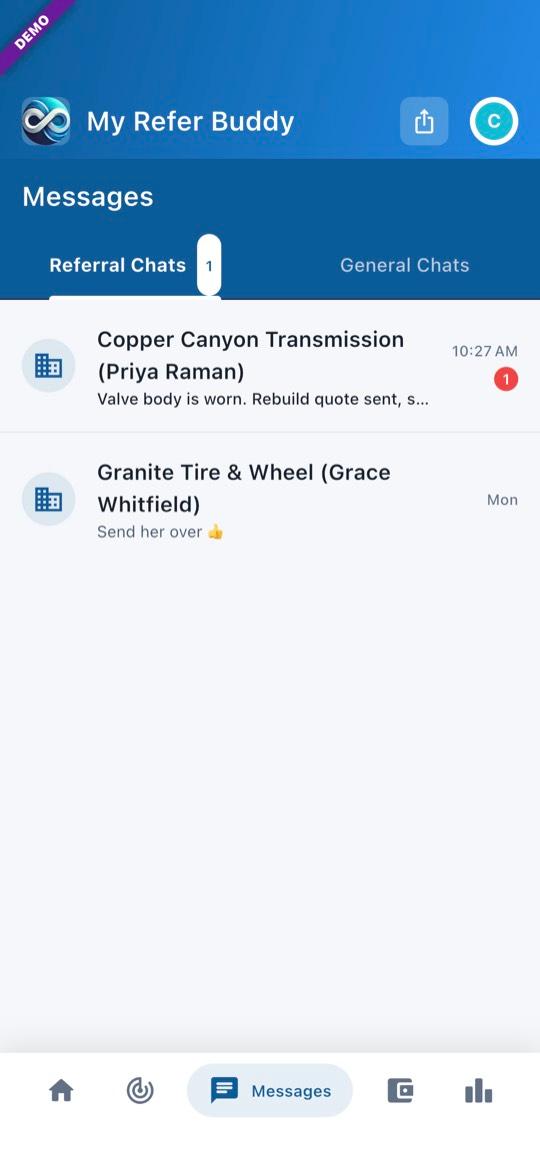
1Referral Chats and General Chats
Tap Messages at the bottom. A referral chat with the receiving shop starts on its own once your referral has one: when you send it to a shop, or when a shop books an open referral. To message a connected shop any other time, open General Chats, tap +, find the shop and tap Message.
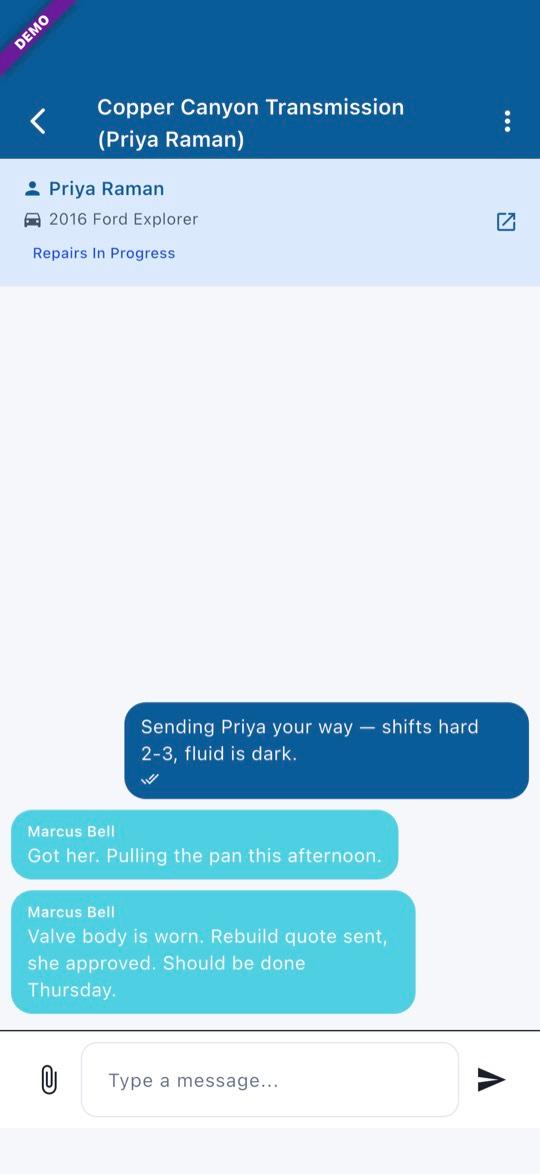
2In a chat
The top of a referral chat shows the customer and vehicle; tap it to open the referral. Tap the paperclip to send a photo or a PDF (up to 10 MB).
- Pictures show the offline demo. Names are made up.
Questions? Email info@AINcollective.com or call (719) 463-0050.