Draft: this guide shows the next app release (1.1.55) and may not match your phone until that version is in the App Store and Google Play.
Getting paid
Your Wallet, how rewards are paid, and how to set or change your payout method.
How rewards are paid
It depends on the shop you sent the customer to. If that shop pays referrals in cash, it hands you the cash. Otherwise Venmo and PayPal rewards go out in our weekly PayPal and Venmo payout. Your reward is owed once the customer has paid the shop.
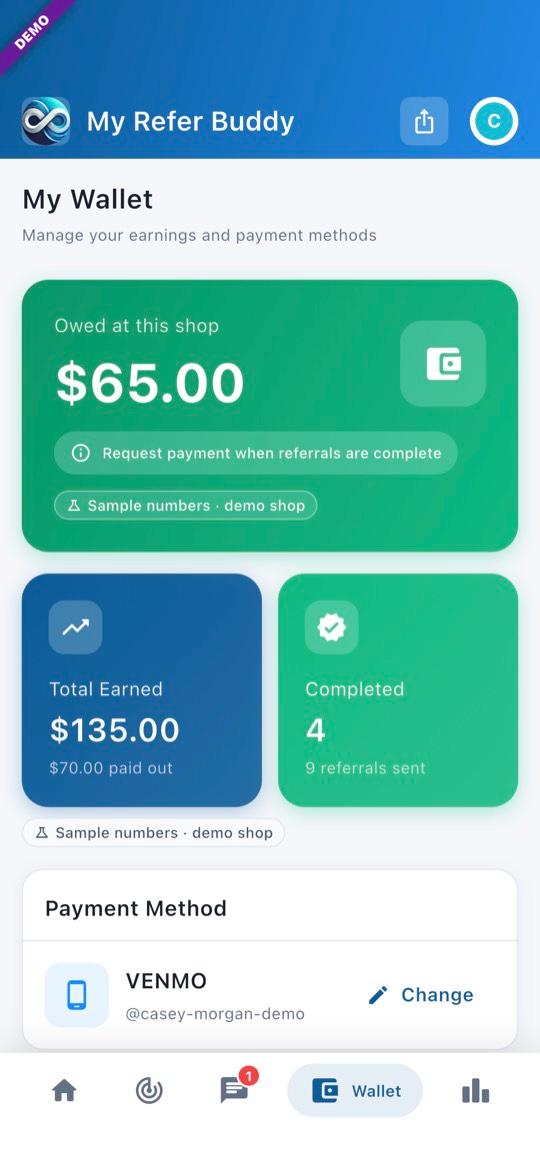
1Your Wallet
Tap Wallet at the bottom. Owed at this shop is what you are owed now for referrals you sent from this shop. The line under it says how that money reaches you: “Paid in our weekly PayPal and Venmo payout — no need to request”, “AiN pays these rewards — no need to request them”, or “Request payment when referrals are complete”.
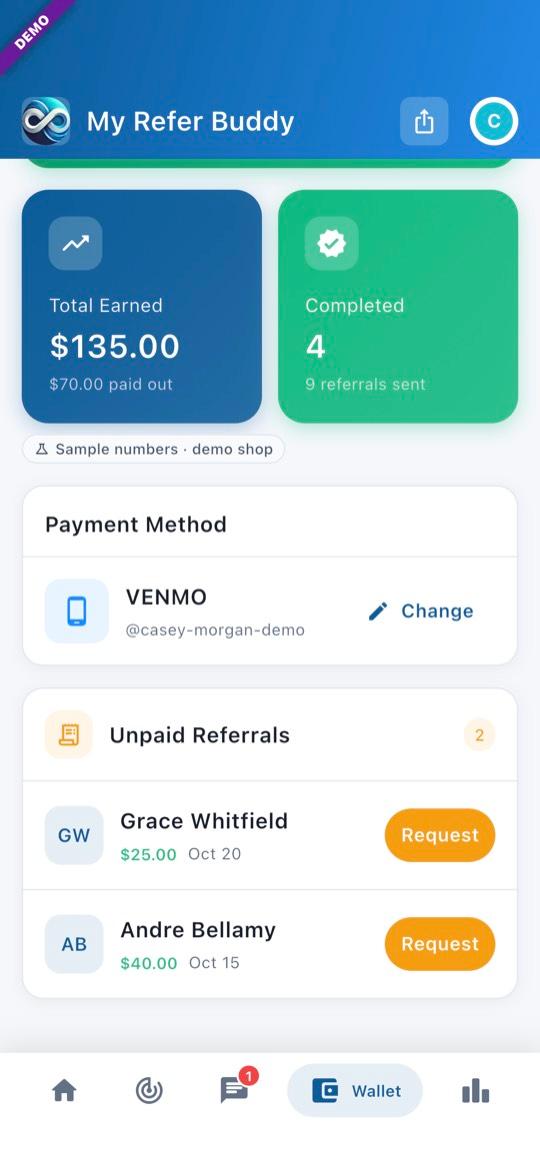
2Unpaid referrals
Each reward not paid yet is listed with where it stands. Where you see Request, tap it to ask for payment. If a reward is on hold, the app says why and what to do, for example “Add Venmo or PayPal in your Wallet to get paid.”
Set or change your payout method
A new account shows Not Set until you choose.
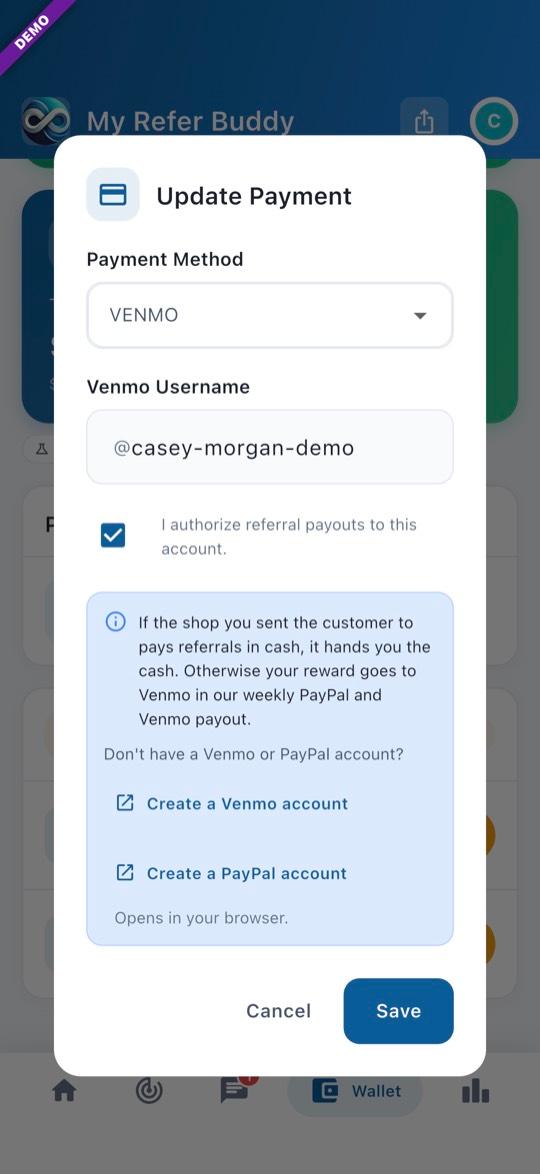
3Update Payment
In the Wallet, tap Change (or Add) next to Payment Method. In Profile, tap Payout method. Pick Venmo or PayPal, enter your Venmo username or PayPal email, tick “I authorize referral payouts to this account.”, then tap Save. No Venmo account? Tap Create a Venmo account.
- Pictures show the offline demo. Names and amounts are made up.
Questions? Email info@AINcollective.com or call (719) 463-0050.